

CFT Policy
How to Register a New Property
Most important:
To register a new property for sale, you MUST first register the client who is selling it. (Client registration is explained in our previous post).
Once you have registered the client, you have two options:
Option 1: Contact the Admin
Send photos, videos, and all information to the administrator. – We do not recommend this option.
Option 2: Direct Registration (RECOMMENDED)
We recommend that you register the property yourself directly in the system. This is the best way to ensure the client is officially recorded as yours.
How to do it:
-
Open the “-My Network” link. You will see a list of your clients.
-
Find the client on the list and click on their name. This will show additional options (buttons) below the name.
-
Press the “+Property” (+Nekretnina) button.
-
Fill out the online form with all the basic information you have.
-
Upload photos (if you have them) and click submit.
What you need to know:
-
Draft Status: – The property will not be published immediately. It will first get a “Draft” status.
-
Quality Control: – We have high standards for photo quality. The Administrator will review and keep or remove photos based on their quality.
-
Matching with Secure Buyers: – While in “Draft” status, the Administrator checks the database for “Private” buyer leads. If a match is found, the Admin will organize contact with the secure buyer (and the agent who registered them). In this case, the property may not be published publicly.
Admin Exclusive Features: – Only the Administrator can perform the following:
-
Add professional videos and 360° views.
-
Add specific property descriptions.
-
Change the status to “Published” (visible to the public).
–
Policies
Specific services

Your recommendations

Your Data

The Family Law Rule
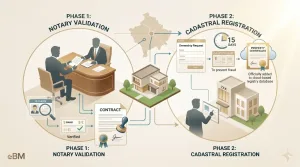
The 2-Step to Ownership
Terms of Use
Terms of Sale
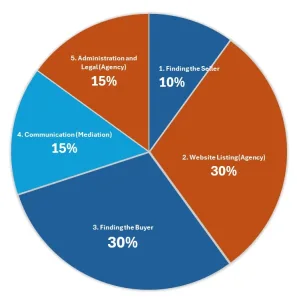
Share of activities
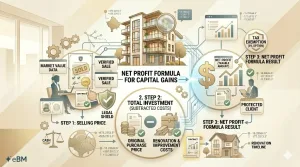
Seller’s Guide about tax

Sell Property

Rent property

Register qualified buyers

Register new Client

Register a New Property

Promoter Program
Privacy Policy

Partnership with Agencies

Must-Have Documents
Legal Disclaimer

Investment Opportunities
IMPRESSUM
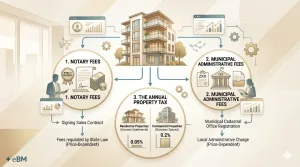
Hidden Costs

eBalkan - transparency
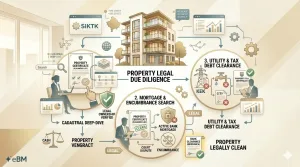
Due Diligence approach

Designed By
Cookie Policy

Contract with Agents

Cloud Subscriptions
CFT Policy

Cash vs. Bank Transfers

Buy Property

Agency Partner Program

About Us

94. Agency Portal Access & Training

92. Full Assistance
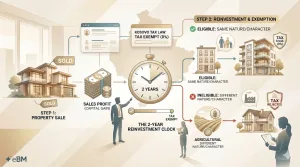
2 Years Reinvestment Rule

13. Project Marketing
12. Why Publish Here

10. Viewing Setup

09. Safe Communication

08. Privacy Shield

07. Legal support

06. Lead Management

05. Buyer Reach

04. Smart Marketing

03. Virtual Tour

02. Photo Package

01. Market Value