Register new Client
How to Register New Clients: Quick Guide for Agents
To make the process of registering new clients easier (whether they are selling or buying), we have created several options to speed up your work.
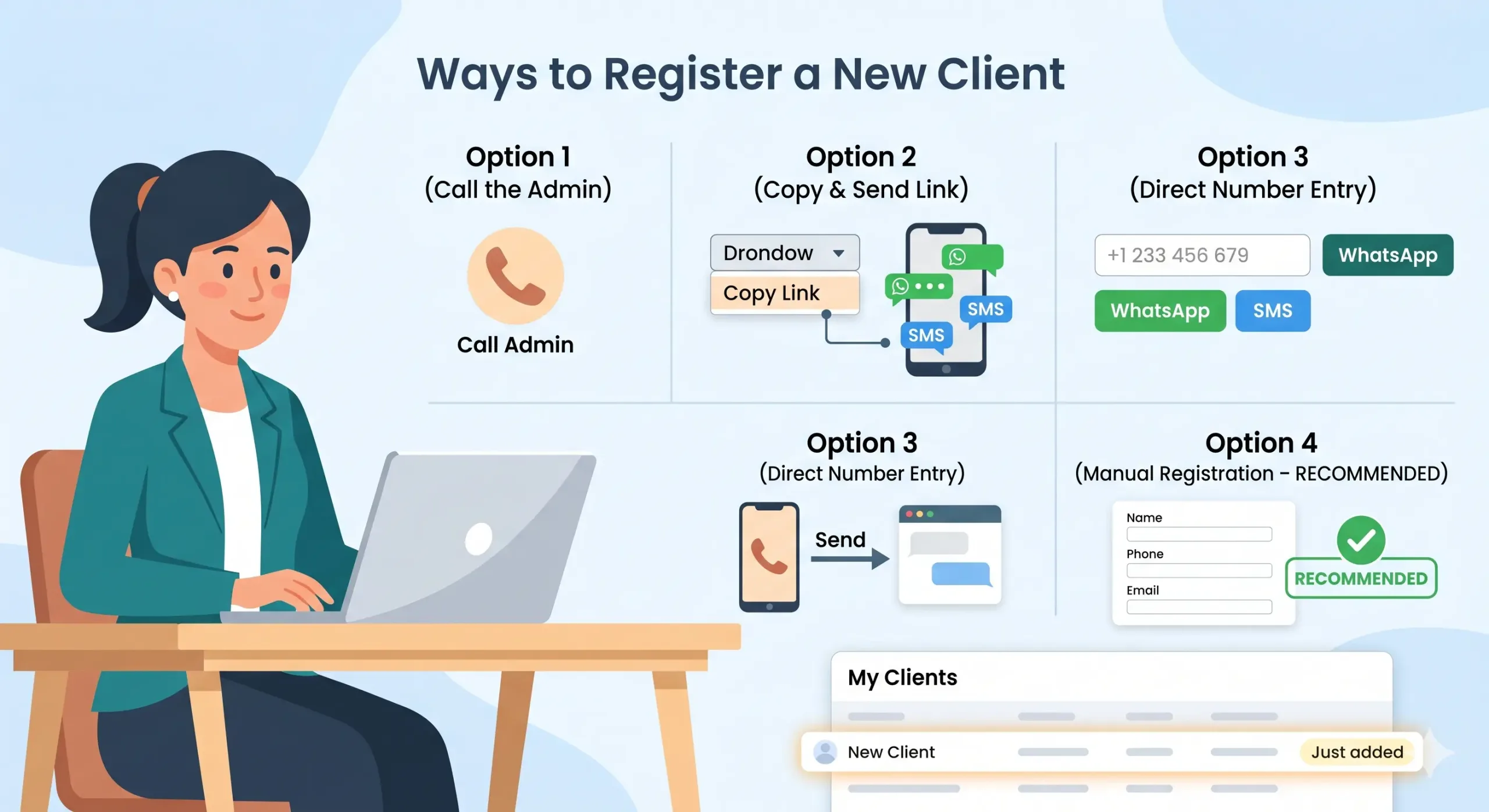
Option 1: Call the Admin
The easiest way is to call the administrator, tell them the details, and they will finish it. This works for now, but as we get more clients and partners, this will become slow. We recommend you start using the other options below.
Option 2: Copy and Send Link
In the dropdown menu, you have the option to “Copy Link”. Copy it and send it to your new client via WhatsApp, SMS, or any other way you like.
Option 3: Direct Number Entry (Quick WhatsApp/SMS)
This is similar to Option 2, but faster. You can type the phone number directly into the field and click the WhatsApp or SMS button next to it. This is the best situation if the client is not in your phone contacts. Just click “Send” when the app opens – you don’t need to write anything extra.
Option 4: Manual Registration (RECOMMENDED)
Go to the dropdown menu and select “New Client”. You fill in the data for your client yourself. This saves the client’s time and ensures everything is correct. We recommend using this option.
Important Info:
Once the registration is finished, the new client will immediately appear in your “My Clients” list.
Note: Other options for managing clients are described in our next post.